menu

Showing posts with label JQuery. Show all posts

Thursday, January 1, 2015

Radio Button Changing Check Property in JQuery

Radio Button .prop("checked") Property:

     You can use .prop("checked") property of a JQuery object to change check property of radio button. Here is an example.

Example:

<html>
 <head>
  <script src="http://ajax.googleapis.com/ajax/libs/jquery/1.11.1/jquery.min.js"></script>
  <script>
   $(document).ready(function() {
    $('#myButton').click(function () { 
       if ($('#A').prop("checked")) {
 $('#A').prop("checked", false); 
 $('#B').prop("checked", true); 
}    
else if ($('#B').prop("checked")) {
 $('#A').prop("checked", true); 
 $('#B').prop("checked", false);
}
        return true;
     });   
    });
   </script>
  </head>
  <body>
    <input type="radio" name="rd" id="A" value="A_value" checked="true">A<br/>
    <input type="radio" name="rd" id="B" value="B_value">B
     <br/>
     <input type="button" id="myButton" value="change selection">
   </body>
</html> 

The screen will look like the following.


Radio Button Changing Check Property in JQuery
Figure 1


You can download the source code from here.

Saturday, November 22, 2014

Using Ajax in JQuery

$.ajax call in JQuery:

     You can use $.ajax method to make ajax requests in JQuery. Below is an example that call a jsp file served on a tomcat server. For simplicity test.jsp only include <%="successfully called"%>.
You also have to serve your html file that call the test.jsp in the same tomcat server since making an ajax request to another domain is forbidden by default. You can use cross domain call for calling a file in another domain as explained here or you can use the technique mentioned in the Example 2 below. You could also call another type of file like test.txt as long as it is served on the same server. For security reasons, you can neither call a file on the file system by ajax nor use html file on the file system that include ajax code. 

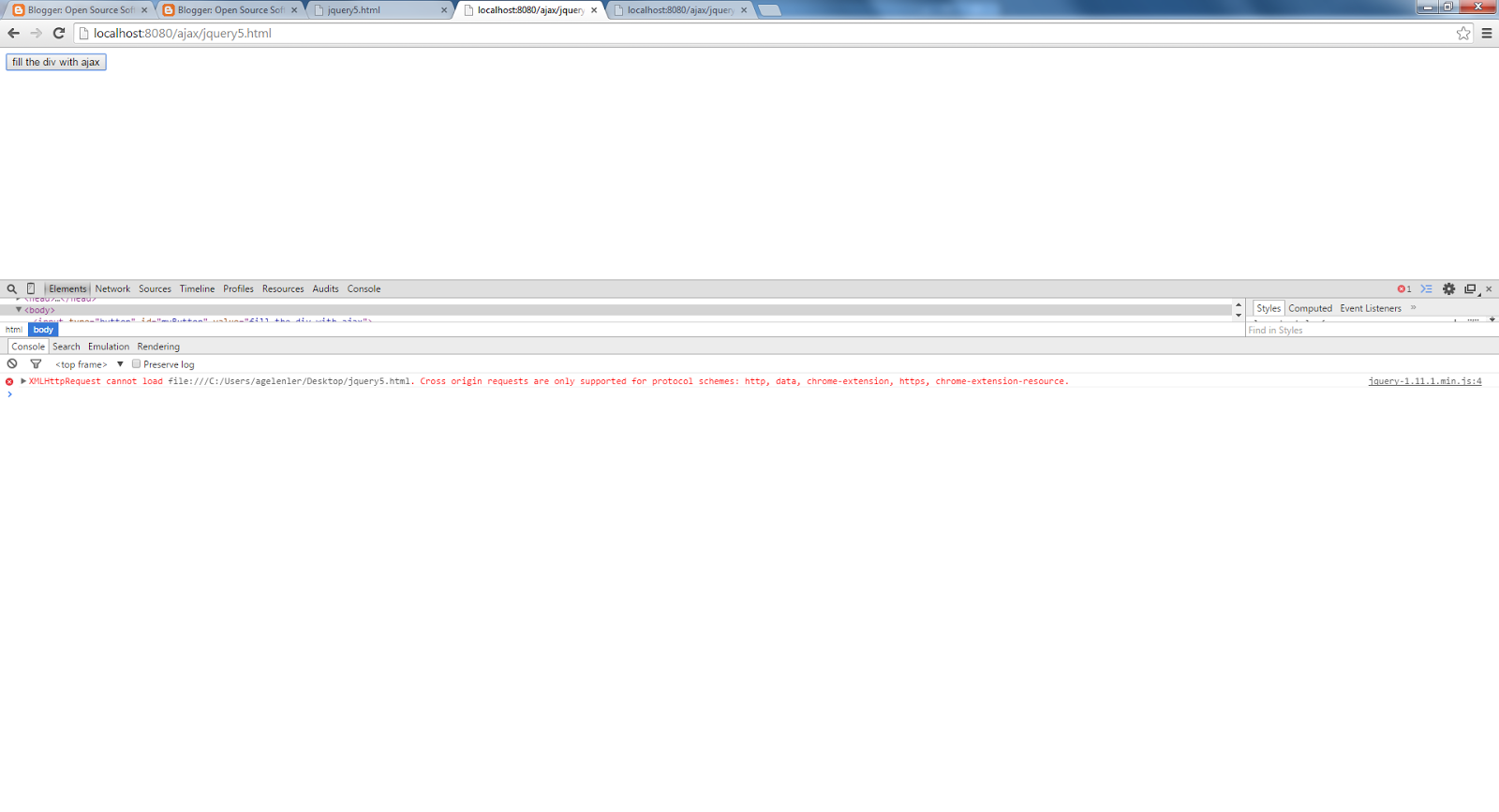
If you try to call an external domain resource by ajax or try to call a domain resource from a file in the file system of your computer say in your desktop you would get the following error indicating that cross domain call is forbidden with a response code 404. This error can be overcomed with CORS(Cross-Origin Resource Sharing) as I mentioned above.

Also for the case of calling external domain resource from another domain we can use the tehnique explained in Exemple 2 with the help of a server resource.


Using Ajax in JQuery
Figure 1

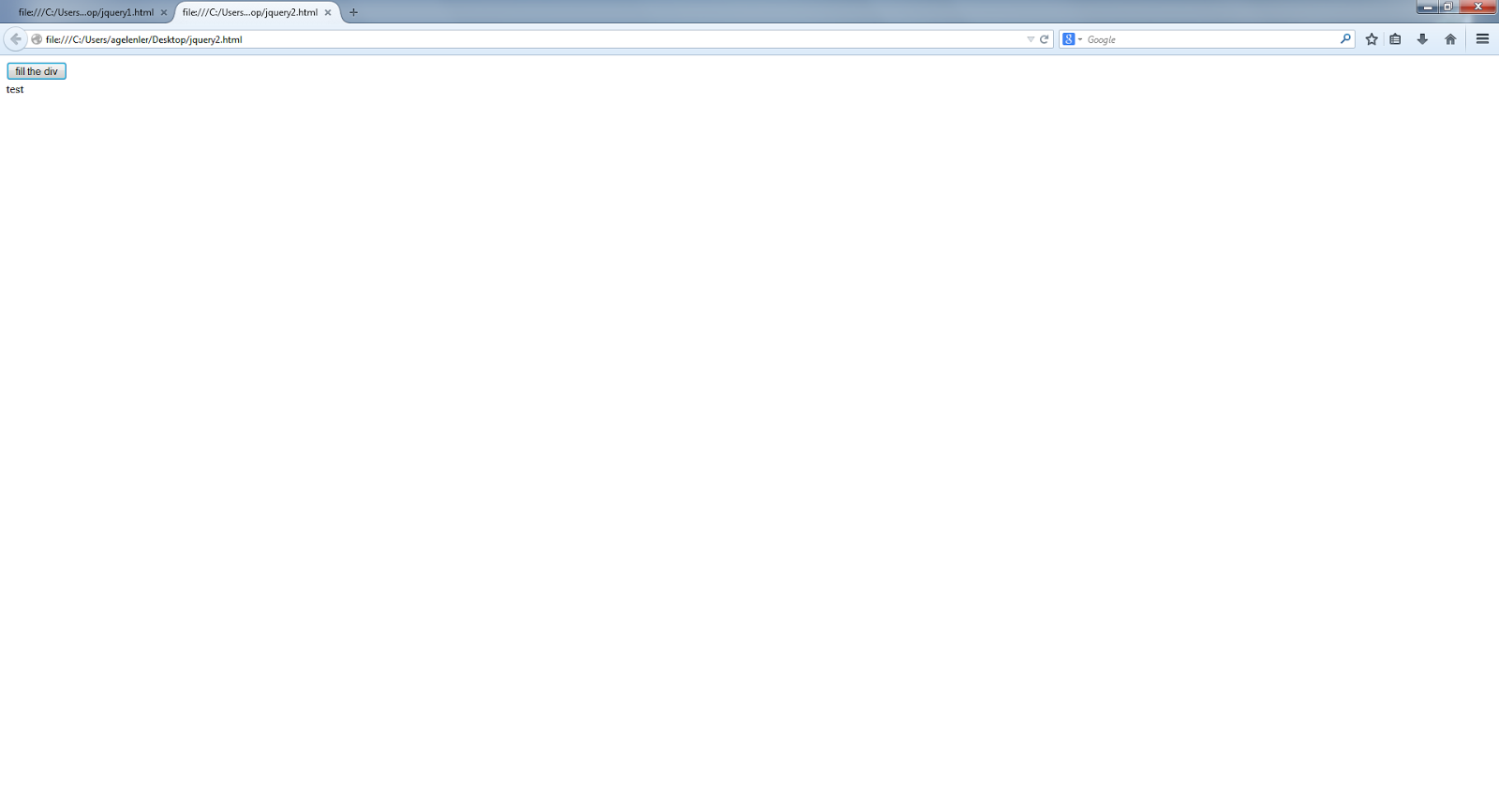
If you try to call a file in the file system in your computer say in desktop from a domain hosted resource like test.jsp with ajax, you would get the following error. This error can also be overcomed with a technique like in Example 2 with the help of a server resource. Without a server resource we cannot call a external file on the file system. It should be like that for security reasons, otherwise one can inject a javascript to a web site to call the external files on the server that hosts web site.

Using Ajax in JQuery
Figure 2


Below there are 2 examples explaining the ajax call in JQuery.

Example 1:

Create a file jQuery.html under a web project named ajax with the following html code and create a test.jsp with the code <%="successfully called"%> under the same place.

<html>
 <head>
  <script src="http://code.jquery.com/jquery-1.11.1.min.js"></script>
  <script>
   $(document).ready(function() {
     $('#myButton').click(function () {
        $.ajax({
          url: "http://localhost:8080/ajax/test.jsp",// you can call directly test.jsp
          // test.jsp just include <%="successfully called"%>
          // url: "http://localhost:8080/documenter/test.txt", you can also call a txt file here
          success: function( data ) {
          $( "#myDiv" ).html( data );
          }
         });
     });  
   });
  </script>
 </head>
 <body>
   <input type="button" id="myButton" value="fill the div with ajax">
   <br/>
   <div id="myDiv"></div>
 </body>
</html>

JQuery.html

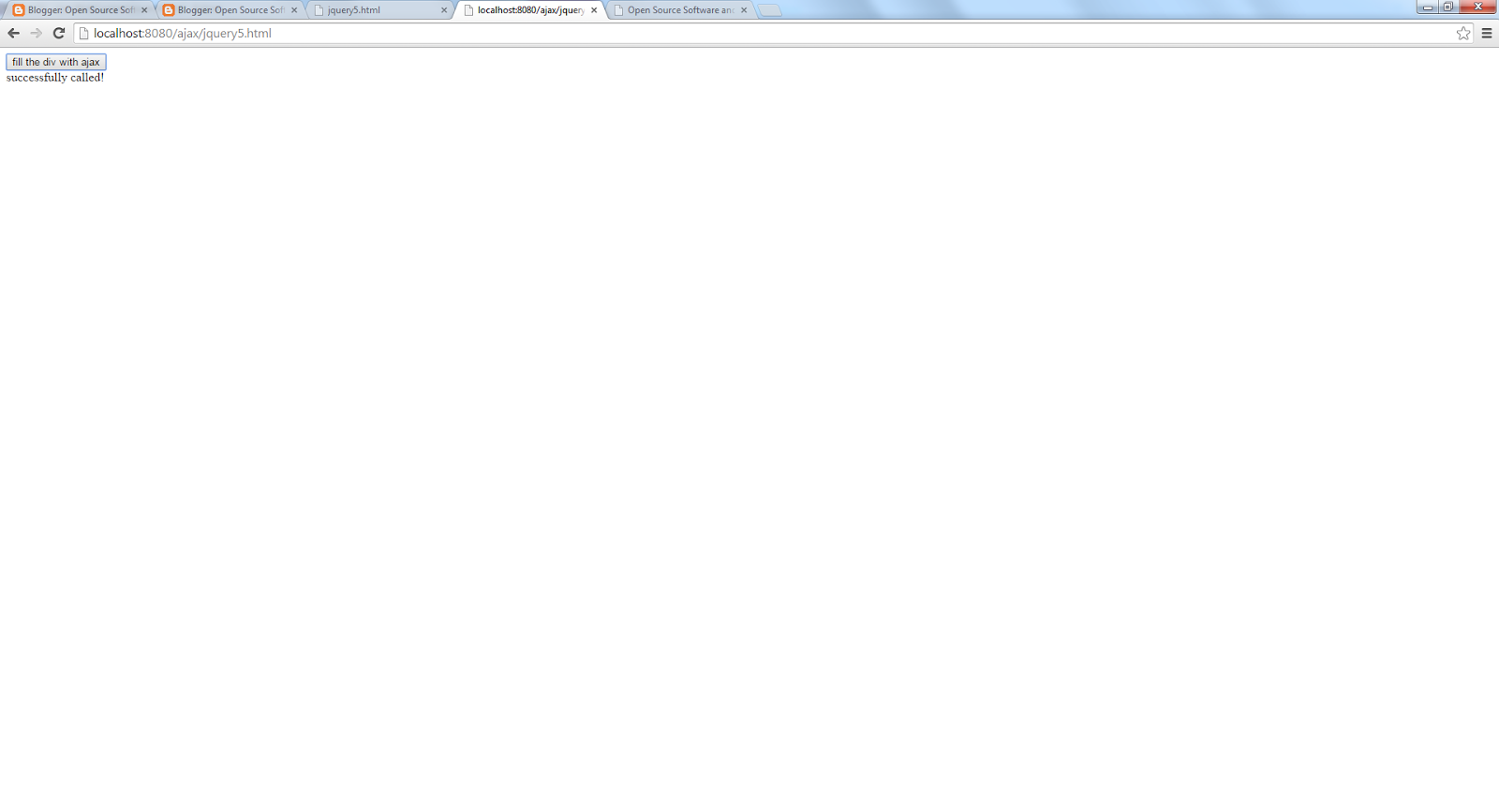
You see the following result when you run this code.
Using Ajax in JQuery

Figure 3


Example 2:

     Create a file named jQuery2.html under a web project named ajax with the following html code and create a servlet named CallExternalDomain as shown below. We'll call the servlet with ajax, and do the call of external domain job in the servlet to overcome the cross domain call problem. We send the external domain address with the data property of ajax call and get that address as request parameter in the servlet. We can use a similar approach to call a file using ajax served on the file system.

<html>
 <head>
  <script src="http://code.jquery.com/jquery-1.11.1.min.js"></script>
  <script>
    $(document).ready(function() {
     $('#myButton').click(function () {
       $.ajax({
    url: '/ajax/CallExternalDomain',
    data: {
      address: 'http://www.aligelenler.com/2014/11/using-ajax-in-jquery.html'
            },
           success: function(response) {
        $( "#myDiv" ).html( response );
                         }
 });
     });  
    });
  </script>
 </head>
 <body>
   <input type="button" id="myButton" value="fill the div with ajax">
   <br/>
   <div id="myDiv"></div>
 </body>
</html>


JQuery2.html

package ajax;

        import java.io.BufferedReader;

        import java.io.IOException;
        import java.io.InputStreamReader;
        import java.net.HttpURLConnection;
        import java.net.URL;

        import javax.servlet.ServletException;
        import javax.servlet.annotation.WebServlet;
        import javax.servlet.http.HttpServlet;
        import javax.servlet.http.HttpServletRequest;
        import javax.servlet.http.HttpServletResponse;

/**
 * Servlet implementation class CallExternalDomain
 */
@WebServlet("/CallExternalDomain")
public class CallExternalDomain extends HttpServlet {
    private static final long serialVersionUID = 1L;

    /**
     * @see HttpServlet#HttpServlet()
     */
    public CallExternalDomain() {
        super();
        // TODO Auto-generated constructor stub
    }

    /**
     * @see HttpServlet#doGet(HttpServletRequest request, HttpServletResponse response)
     */
    protected void doGet(HttpServletRequest request, HttpServletResponse response) throws ServletException, IOException {
        HttpURLConnection conn = null;
        BufferedReader reader = null;
        try {
            URL url = new java.net.URL(request.getParameter("address"));
            conn = (HttpURLConnection) url.openConnection();
            conn.setRequestMethod("GET");
            reader = new BufferedReader(new InputStreamReader(conn.getInputStream()));
            String next = null;
            StringBuilder responseStr = new StringBuilder();
            while ((next = reader.readLine()) != null)
                responseStr.append(next);
            response.getWriter().write(responseStr.toString());
        } catch (Exception e) {
            System.out.println("An error occurred connecting to external resource" + e.getMessage());
        } finally {
            try {
                if (conn != null)
                    conn.disconnect();
                if (reader != null)
                    reader.close();
            } catch (Exception e) {
                System.out.println("An error occurred releasing resources " + e.getMessage());
            }
        }
    }

    /**
     * @see HttpServlet#doPost(HttpServletRequest request, HttpServletResponse response)
     */
    protected void doPost(HttpServletRequest request, HttpServletResponse response) throws ServletException, IOException {
        // TODO Auto-generated method stub
    }

}


CallExternalDomain.java

You see the following result when you run this code.

Using Ajax in JQuery
Figure 4


You can download the source code from here.

Friday, November 21, 2014

Using Show() and Hide() methods in JQuery

show() and hide() methods:

     You can use show and hide methods of a JQuery object to change the visibility of it like in the following example. You can check the visibility with is(':visible') method of JQuery.

Example:

<html>
 <head>
  <script src="http://ajax.googleapis.com/ajax/libs/jquery/1.11.1/jquery.min.js"></script>
  <script>
   $(document).ready(function() {
     $('#myButton').click(function () { 
if($('#myLink').is(':visible'))
  $('#myLink').hide();
else 
  $('#myLink').show();
        return true;
     });   
   });
  </script>
 </head>
 <body>
   <input type="button" id="myButton" value=" show/hide link">
   <br/>
   <a id='myLink' href='#' onClick="myLink_onClick()">my link</a>
 </body>
</html> 

The screen will look like the following.


Using Show() and Hide() methods in JQuery
Figure 1

You can download the source code from here.  

Using html() and innerHTML in JQuery

html() vs innerHTML:

     You can either use html() function to set or get value of a div using JQuery objects like $("#myDiv").html() or use innerHTML property of the html dom object like 
$("#myDiv")[0].innerHTML. You see that a JQuery object is hold an array of html dom objects of the same name. Below is an example of using these syntax.

Example:

<html>
 <head>
  <script src="http://code.jquery.com/jquery-1.11.1.min.js"></script>
  <script>
    $(document).ready(function() {
      $('#myButton').click(function () { 
  $('#myDiv').html('test');
      alert("Jquery object value " + $('#myDiv').html());
      alert("HTML Dom object value " + $('#myDiv')[0].innerHTML);
       return true;
      });   
     });
  </script>
 </head>
 <body>
   <input type="button" id="myButton" value="fill the div">
   <br/>
   <div id="myDiv"></div>
  </body>
</html>     

The screen will look like the following.


Using html() and innerHTML in JQuery
Figure 1

You can download the source code from here.

Thursday, November 20, 2014

Introduction to JQuery

Introduction:

     JQuery is a well known JavaScript library that helps to develop rapid applications with the help of the large library involves in it. You can download the JavaScript file of JQuery or can use it with a CDN that means you just use the JavaScript file hosted on the network. We'll use JQuery with CDN at our examples. Just go to the http://jquery.com/download/ page and use the latest release's CND which is "<script src="//code.jquery.com/jquery-1.11.1.min.js"></script>" at the time of this writing. When you use CDN your visitors previously downloaded a copy of the same CDN can reuse it without downloading it again. You can also use other CDN providers like google and microsoft. We see using google CDN in our example.

Example:

     In the below example, I show both the standart JavaScript syntax and the syntax of JQuery with which you define a function on a html element in the $(document).ready(function() { ... }; without calling the onClick of that element. Here we define a myLink_onClick() function for the myLink html element and call that function with onClick property of the element. On the other hand, with the JQuery we just define $('#myLink').click(function() { ... }); in the ready function and no need to call onClick anymore. We have a text, a button and a link in the example, when you click on link the text set with the "val("")" syntax of the JQuery. Also when you click on button both link click methods are fired. The run order of the methods is first the old JavaScript method and then the new JQuery method if you click on the link. However if you fire the click of link with the button's click, the order is reversed.

<html>
 <head>
 <script src="http://code.jquery.com/jquery-1.11.1.min.js"></script>
<!-- for google CDN use
  <script src="http://ajax.googleapis.com/ajax/libs/jquery/1.11.1/jquery.min.js"></script> 
-->
 <script>
   $(document).ready(function() {
     $('#myLink').click(function () { 
         alert('myLink_click');
        var myText = $('#myText');
        myText.val('test');
         return true;
     });   
   $('#myLinkReset').click(function () { 
  var myText = $('#myText');
        myText.val('');
         return true;
     }); 
   });
   function myButton_onClick() {
         alert('myButton_onClick');
         $('#myLink').click();
   }
   function myLink_onClick() {
         alert('myLink_onClick');
   }
  </script>
 </head>
 <body>
   <input type="text" id="myText">
   <br/>
   <input type="button" id="myButton" onClick="myButton_onClick()" value="click me">
   <br/>
   <a id='myLink' href='#' onClick="myLink_onClick()"> click me </a>
   <br/>
   <a id='myLinkReset' href='#' > reset </a>
 </body>
</html> 

The screen will look like the following.


Introduction to JQuery
Figure 1

Introduction to JQuery
Figure 2

Conclusion:

     With the help of JQuery you can develop faster applications. It is easier to develop applications since it has a large library. JQuery also has ajax support.

You can download the source code from here.